How It Works | HoneOS Turn open-source signals into enterprise pipeline. HoneOS turns raw signals into Marketing Qualified Accounts (MQAs) with an Architectural Pain Thesis—helping Sales and Marketing build enterprise revenue on a blueprint, not a pile of parts.
Seven-step COSS buyer journey: Design Partner workspace, workspace provisioning, Architectural Pain Thesis, Detailed Insight playbooks, outreach activation, X-RAY call audits, and History as your GTM home base.
OSS & COSS sales intelligence
Turn Open-Source Signals into Enterprise Pipeline
HoneOS turns raw signals into Marketing Qualified Accounts (MQAs) with an Architectural Pain Thesis—helping Sales and Marketing build enterprise revenue on a blueprint, not a pile of parts.
What you get
One platform—three surfaces revenue teams actually use.
Account intelligence
Hone Insight
Build the Architectural Pain Thesis, domain-specific kits and playbooks, and a shared knowledge base—so every AE enters the account with the same evidence-backed story, not a name and a guess.
- Architectural Pain Thesis from real account signals
- Detailed Insight playbook on every run—no lite mode
- Executive-first reports and PDF export for internal buyers
- History home, search, and Quick playbook for pre-call skims
Our process
A COSS buyer journey—from first evidence to repeatable pipeline—without losing context between Insight and X-RAY.
- 01
Start with evidence
Claim your Design Partner workspace or book a walkthrough—company email starts in minutes without a demo gate.
- 02
Connect your motion
We provision your workspace with org context, starter knowledge, and brand defaults so the first run is on-message.
- 03
Target the account
Enter a domain and signals; Insight builds an Architectural Pain Thesis grounded in your knowledge base.
- 04
Build the playbook
Detailed Insight by default—executive-first layout, full sales playbook, and PDF export for Slack-forward proof.
- 05
Activate outreach
Sequences grounded in the kit; outreach returns you to the report so reps never lose the thread.
- 06
Audit the call
X-RAY turns transcripts into structured audits—discovery, objections, competitive traps vs your playbook.
- 07
Prove and scale
History as your home base: stats, search, regenerate, and team knowledge so every account picks up where you left off.
Minutes
to first Insight
Example placeholder—replace with verified customer data when available.
5+5
partner runs to prove fit
Enough for a real account prep and a real call review—not a toy demo.
1
shared GTM workspace
Insight + X-RAY + knowledge aligned for every rep and SE on the team.
“Hope is Not a GTM Strategy. Evidence is.”
See it in the product
UI from production—what your reps and SEs actually touch after sign-in on vision.honeos.ai.
Hone Insight
Architectural conviction before the first call
Insight turns domain signals into a pain thesis, sales kit, and Detailed Insight playbook—executive summary up front, evidence underneath. Export PDFs for champions who were not in the room.
Claim Your Partner Workspace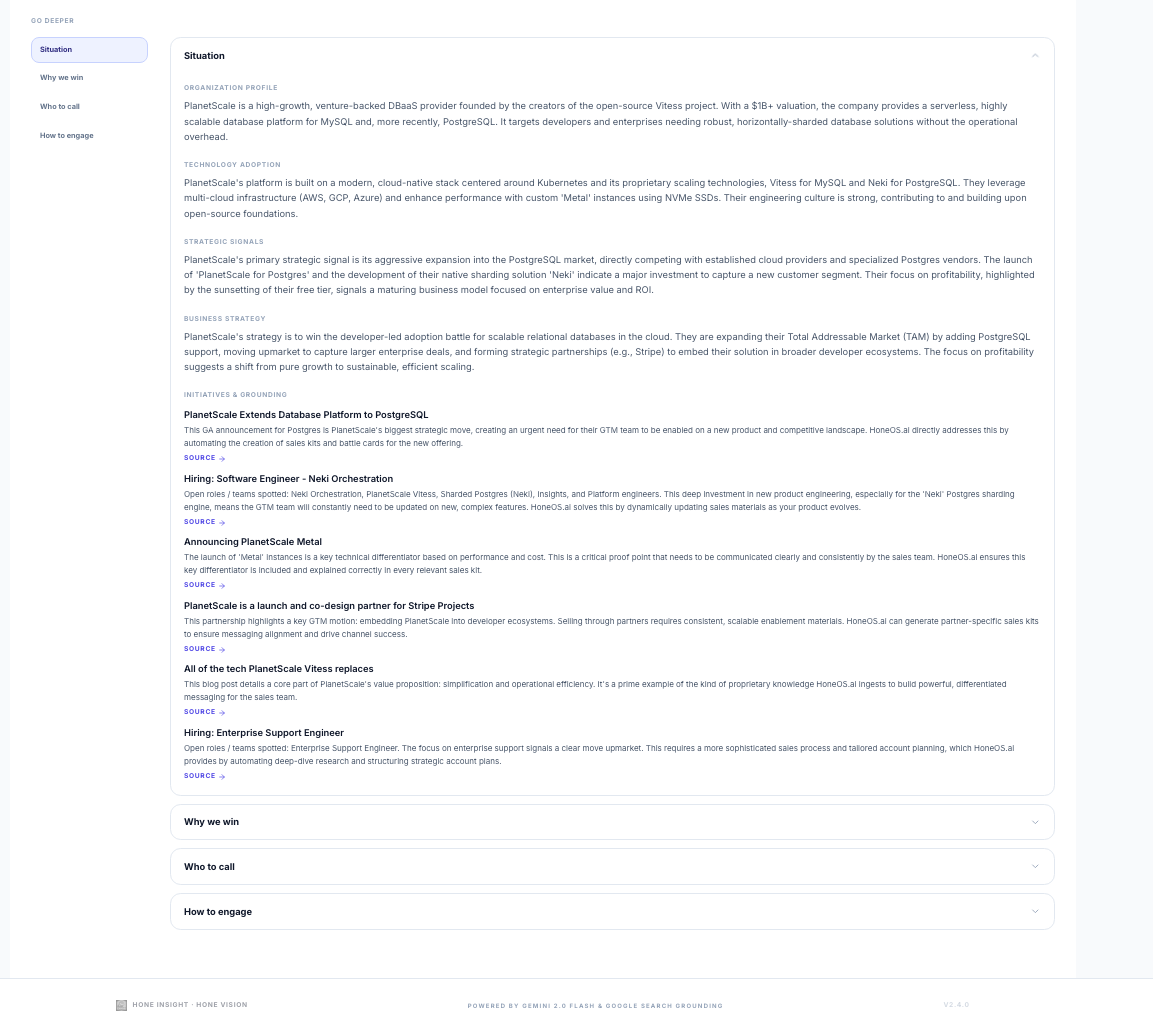
HoneOS Vision X-RAY
Call reviews that match how you sell
Paste a transcript; X-RAY scores discovery, demo-to-pain mapping, and competitive traps against your positioning. Insight defaults flow in so audits stay on-message—not generic coaching.
Book a walkthrough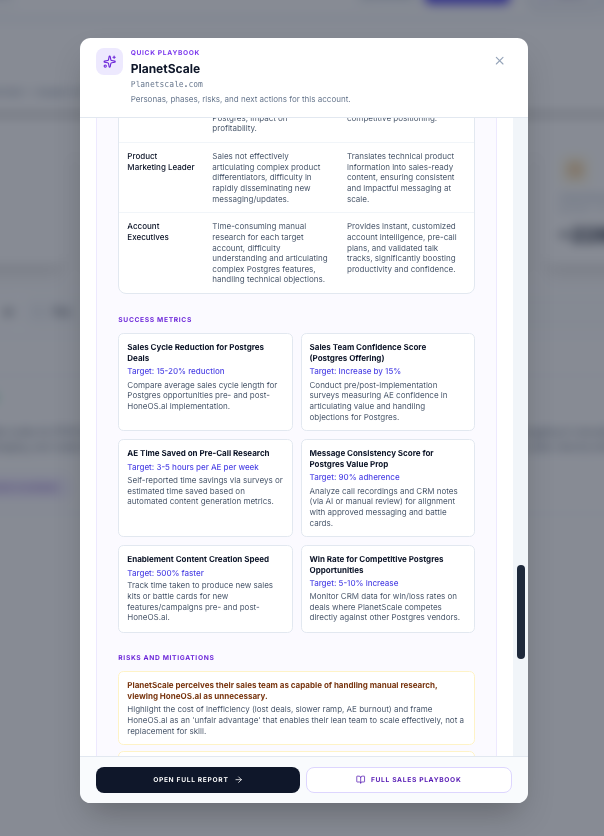
History home base
Pick up exactly where you left off
History is your launchpad—not an archive. Vital stats, engagement filters, regenerate, and Quick playbook preview get reps back into an account in seconds.
See what’s new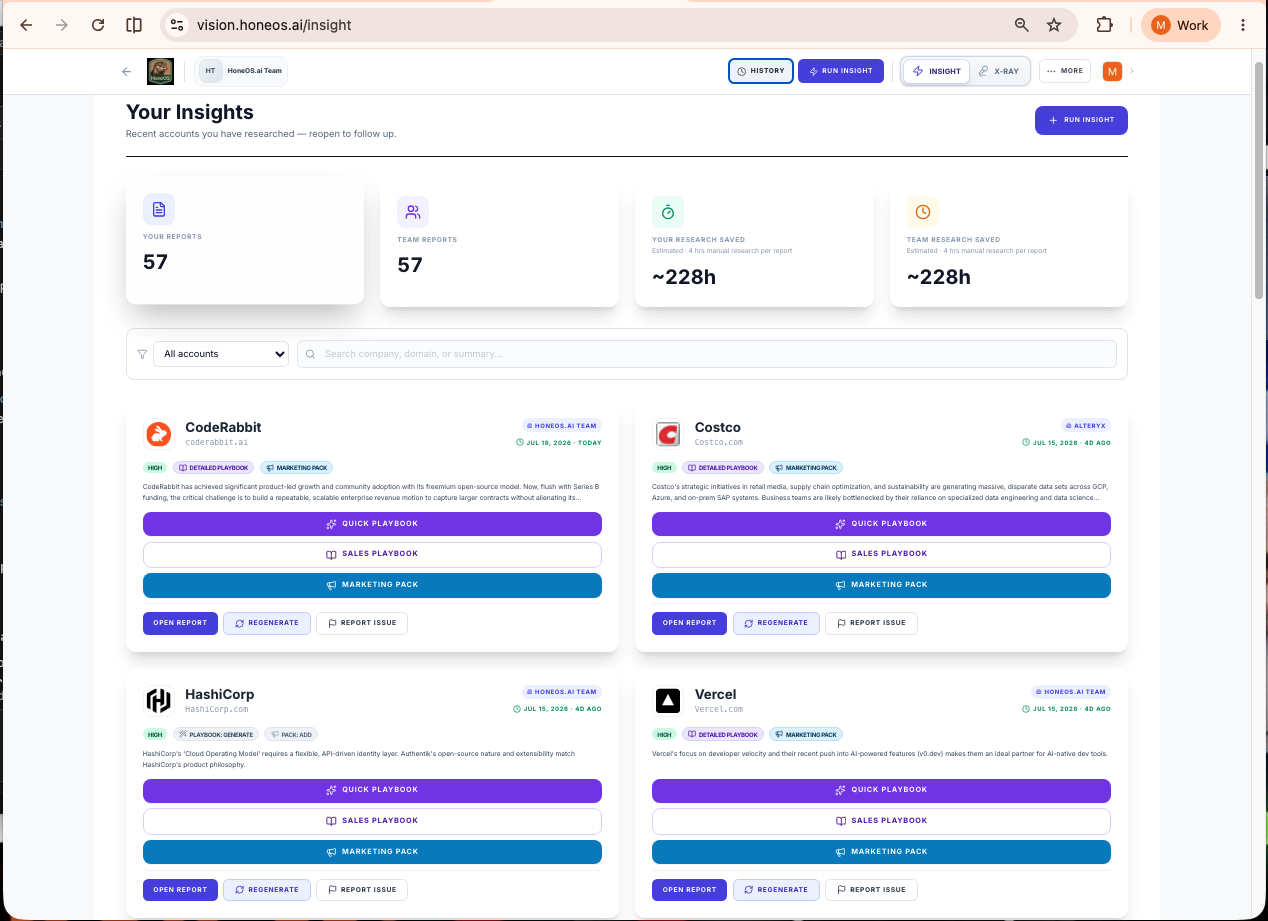
Ready to prove it on your accounts?
Claim your Design Partner workspace or book a walkthrough with the team.
Product updates: What's new